
Suggested photo recipes
Start with Av mode at f/4 for everyday photographs, Av at f/2.8 for portraits and Tv at 1/500 second for moving subjects. Add a low-ISO setup for still life and a faster-shutter setup for evenings, and you have five useful starting points for the Canon G7 X Mark III.
Before you begin
Av means aperture priority: you choose the aperture, and the camera sets the shutter speed. Tv means shutter priority: you choose the shutter speed, and the camera sets the aperture.
Use Auto White Balance, evaluative metering and Standard Picture Style as a simple baseline. Leave the flash off for these available-light recipes. Choose JPEG for ready-to-use files, or RAW + JPEG if you also want files to edit later.
Exposure compensation starts at 0. Adjust it after checking the subject and highlights.
1. Everyday travel: a dependable starting point
Set Av, f/4 and Auto ISO for sightseeing, buildings, travel details and people who are standing reasonably still.
Choose your focus point deliberately. For a person, focus on the face; for a building, choose a clear detail at the distance you want sharp.
Watch the shutter speed. Aperture priority can select a slow exposure as the light falls. If people are blurring, move to the motion recipe rather than expecting stabilisation to freeze them.
For a scene with bright clouds or sunlit walls, check whether important highlights retain detail. Try −1/3 EV, then review. Return compensation to 0 when that adjustment is no longer needed.
2. Relaxed portraits: simplify the background
Set Av, f/2.8 and Auto ISO. Use face detection, check that the intended person is selected and begin with someone who can hold still briefly.
Zoom towards the longer end of the lens and give the subject some distance from the background. This can make the surroundings less distracting without complicated settings.
The lens reaches f/1.8 at its widest setting, but its maximum aperture becomes f/2.8 towards the telephoto end. Starting at f/2.8 keeps this recipe usable across the zoom range.
Adjust for the person. If they sway, laugh or turn quickly, watch for motion blur. For a group arranged at different distances, try f/4 or f/5.6 and check that everyone you need is sharp.
3. People on the move: prioritise shutter speed
Set Tv, 1/500 second and Auto ISO, then select Servo AF and continuous shooting.
Use this for walking people, lively family moments or movement during an outing. Keep the focus area on the subject and take short bursts.
Adjust for speed and light. Try 1/1000 second for faster movement in good light. In dim conditions, 1/500 second may demand more light than the camera can gather. Check exposure warnings and your results.
A fast shutter helps control motion blur; it does not guarantee accurate focus. Review a sample frame before relying on the setup for an important sequence.
4. Food and still life: keep ISO low when the subject allows it
Set Av, f/4 and ISO 125. Place the subject near a window, choose the focus point and make a test photograph.
This suits food, small objects and tabletop details that remain still. Arrange the light and background before changing settings repeatedly.
Watch for camera shake. Low ISO can produce a slow shutter indoors. Support the camera on a tripod and use a short self-timer, or raise ISO if you need to work handheld.
If only a thin part of the subject is sharp, try f/5.6, move slightly farther away and review again. Check the whole frame, including reflections, crumbs and distracting edges.
5. Evening people and street scenes: protect against subject movement
Set Tv, 1/125 second and Auto ISO as a starting point for people who are relatively still.
Look for useful light from a window, shopfront or streetlamp. Moving the subject into better light can help more than another menu adjustment.
Change the shutter for the scene. Try 1/250 second for walking people. For stationary architecture, a tripod and a longer exposure can be a better approach.
Expect a tradeoff between brightness, motion and noise. If a frame is too dark, inspect the exposure settings and available light. Avoid keeping ISO low at the cost of unwanted blur.
Save your favourite to C
The G7 X Mark III has one C position, so choose the recipe you use most often.
- Set up the camera in Av or Tv with your chosen settings.
- Open Custom shooting mode (C mode) in the menu.
- Choose Register settings.
- Turn the mode dial to C to recall the setup.
Canon also provides an Auto update set. option. Leave automatic updating disabled if you want temporary changes to stay separate from your saved starting setup. Remember that registering another recipe replaces the previous one. These controls are explained in Canon’s Advanced User Guide, pages 284–285.
After saving, turn away from C and back again. Check the recalled exposure, ISO, focus and drive settings, and make a test frame. Keep the other recipes in your phone for quick reference.
Make the recipes your own
Practise with one setup at a time. When a photograph disappoints, identify the problem before changing anything: missed focus, subject movement, camera shake or exposure.
Then change one setting, photograph the same subject again and compare. A useful preset gets you started quickly; understanding the result helps you finish the photograph.
What to buy
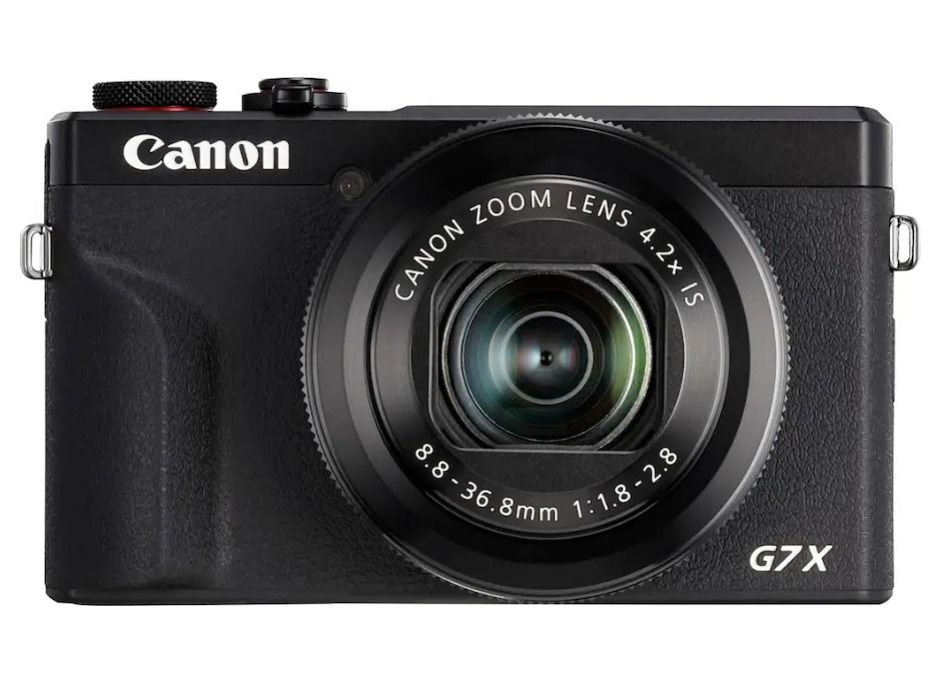
Looking to buy a Canon G7X Mark III?